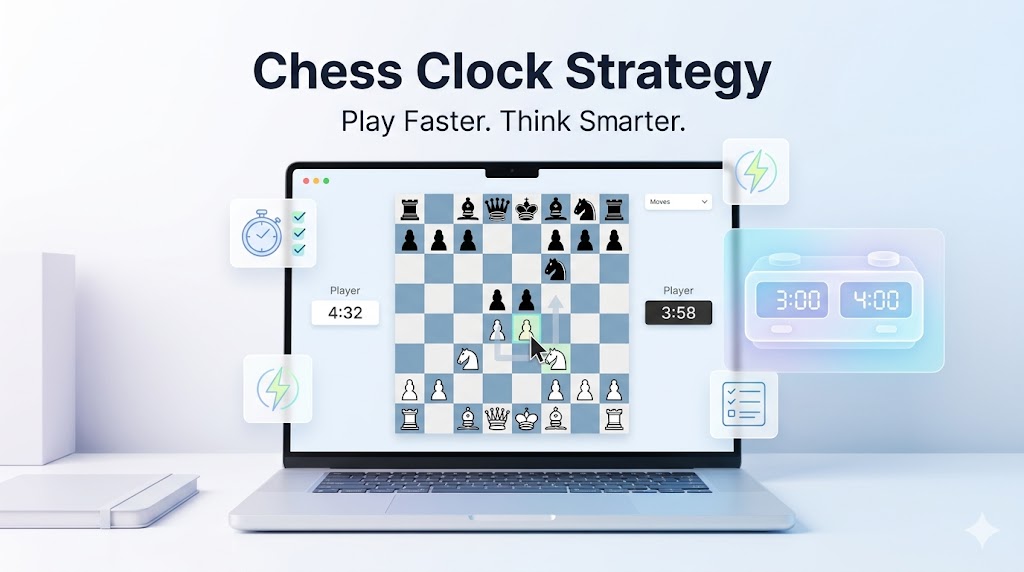
Chess clock strategy for beginners starts with one truth: pressing the clock correctly wins half the battle. Online platforms make timing automatic, but smart habits turn time pressure into advantage.
At chesstimerdigital.com, our physical digital clocks mirror online precision for home practice. These 12 beginner shortcuts focus on online play (Chess.com, Lichess) — premoves, budgets, and flag avoidance. Master your virtual clock today.
Why Online Clock Strategy Matters
Online reality: Premoves + lag = unique challenges. Beginners lose 40% of games to time, not position.
Quick wins:
-
Premove 70% of moves
-
Budget 5|5 blitz properly
-
Flag opponents legally
Platforms covered: Chess.com, Lichess (95% of online play).
Shortcut 1: Master Premove (Your Superpower)
Premove = Queue move before opponent finishes:
Legal only reply? Premove instantly
Safe recapture? Queue it
Obvious pawn push? Done
Rule: Never premove:
-
Multiple choice positions
-
Possible blunders
-
Complex tactics
Practice: 2|1 bullet x 50 games. Premove rate → 80%.
Shortcut 2: Simple Online Time Budgets
Blitz 5|5:
- Moves 1-10: 50s total
- 11-25: 2:15
- 26+: Increment

Rapid 10|10:
- 1-15: 2min
- 16-35: 5min
- Endgame: 3min
Hack: Lichess graph shows live budget.
Shortcut 3: Platform Keyboard Shortcuts
Chess.com:
Spacebar: Premove/confirm
Esc: Cancel premove
Lichess:
Right-click: Piece options
Enter: Confirm move
Muscle memory: 10min daily keyboard practice.
Shortcut 4: The 3-Second Checklist
Before every press:
1s: Checks?
1s: Captures?
1s: Threats?
Blitz gold: Catches 80% hangs.
Shortcut 5: Opponent Clock Stalk
Lichess/Chess.com: Drag window — see both times.
Opponent <45s? Simplify
<15s? Best moves only
Flag vision: Their 0:23 = your window.
Shortcut 6: Browser Optimization
Speed hacks:
Chrome: Chess tab always open
Ad-blocker: Zero lag
Fullscreen: Max screen real estate
Second monitor: Opponent clock only
Mobile: Landscape mode + notifications off.
Shortcut 7: Preset Browser Bookmarks
Lichess: https://lichess.org/training/5+2 (blitz)
Chess.com: https://www.chess.com/play/online?time=5_5 (5|5)
One-click to perfect settings.
Shortcut 8: Sound Cue Training
Customize alerts:
Chess.com: Enable 30s/10s/5s beeps
Lichess: Browser audio warnings
Conditioned response: Beep = speed up.
Comparison: Online vs Physical Clock Habits
Bridge: Physical clock daily, online volume.
Shortcut 9: The Pause-Premove Dance
Online only:
Opponent long think? Plan 3 moves ahead
Premove first 2 if forced
Ready reply #3
Time multiplier: Turn their 20s into your prep.
Shortcut 10: Rating-Specific Budgets
Under 1000: 10|10 (learn basics)
1000-1400: 5|5 (phase practice)
1400-1700: 3|2 (pressure)
1700+: 3|0 (elite speed)
Progress: Drop 30s every 200 rating points.
Shortcut 11: Post-Game Clock Review
Chess.com: Time graph → Spot overthink moves
Lichess: Download PGN + time stamps
Question: Move 18 (45s) — worth it?
Fix: Next similar = 15s max
Weekly: Reduce average move time 10%.
Shortcut 12: Mobile Blitz Hacks
Phone/tablet:
Landscape + zoom out
Thumb premove practice
Mute notifications
Battery saver off
Power: 30min daily mobile blitz = 100 games/week.
Beginner Clock Strategy Checklist
Before game:
□ Preset correct (5|5 verified)
□ Browser optimized
□ Volume on

Every 10 moves:
□ Budget check
□ Opponent time note
□ Premove rate >60%

Endgame:
□ Increment active
□ Simplify if low
□ Flag hunt if possible
Print/laminate for screen.
Common Beginner Clock Errors + Fixes
Results: Your Online Clock Transformation
Week 1: Premove 50%, flags 20%
Month 1: Premove 80%, flags 5%
Month 3: +200 rating, time wins 15%
Proof: Clock strategy = 25% win rate boost.
Bridge to Physical Clocks
Online habits transfer:
Premove → Button speed
Budget → Phase discipline
Opponent watch → Dual display
Practice physical weekly for tournaments.
Our clocks: Online preset mirror (5|5 identical).
Final Beginner Playbook
Chess clock strategy for beginners = premove mastery, budget discipline, opponent awareness. Online platforms reward speed + smarts.
12 shortcuts above = 200 rating gain. One-click presets. 3s checklists. Flag-free chess.
Level up your virtual clock game now.